
Table of Contents
After I blew through my first account, I was almost done with my second when I realized it’s not FREE! I ran several builds back-to-back, got excited watching it work, and hit my usage limit faster than I expected.
I was treating it like Sonnet or Opus, just prompting without understanding how this model burns credits.
That was my problem.
I found the official Anthropic prompting guide for Fable 5, and I studied every trick, prompt pattern, and scaffolding recommendation Anthropic published.
Claude Fable 5

When Fable 5 launched on June 9, 2026, Anthropic included it on Pro, Max, Team, and seat-based Enterprise plans at no extra cost through June 22.
That window ends on June 23.
From that date, using Fable 5 on a subscription plan will require usage credits. Anthropic has stated they intend to restore it as a standard part of subscription plans once capacity allows.
Here is the exact breakdown:
- Now through June 22: Fable 5 is included in your plan at no extra cost
- June 23 onward: Fable 5 requires usage credits on all subscription plans
- API and consumption-based Enterprise: Fully available with no deadline, billed at standard pricing
The pricing is $10 per million input tokens and $50 per million output tokens. That is double Opus 4.8’s $5 input and $25 output pricing.
How to Switch to Fable 5 in Claude Code
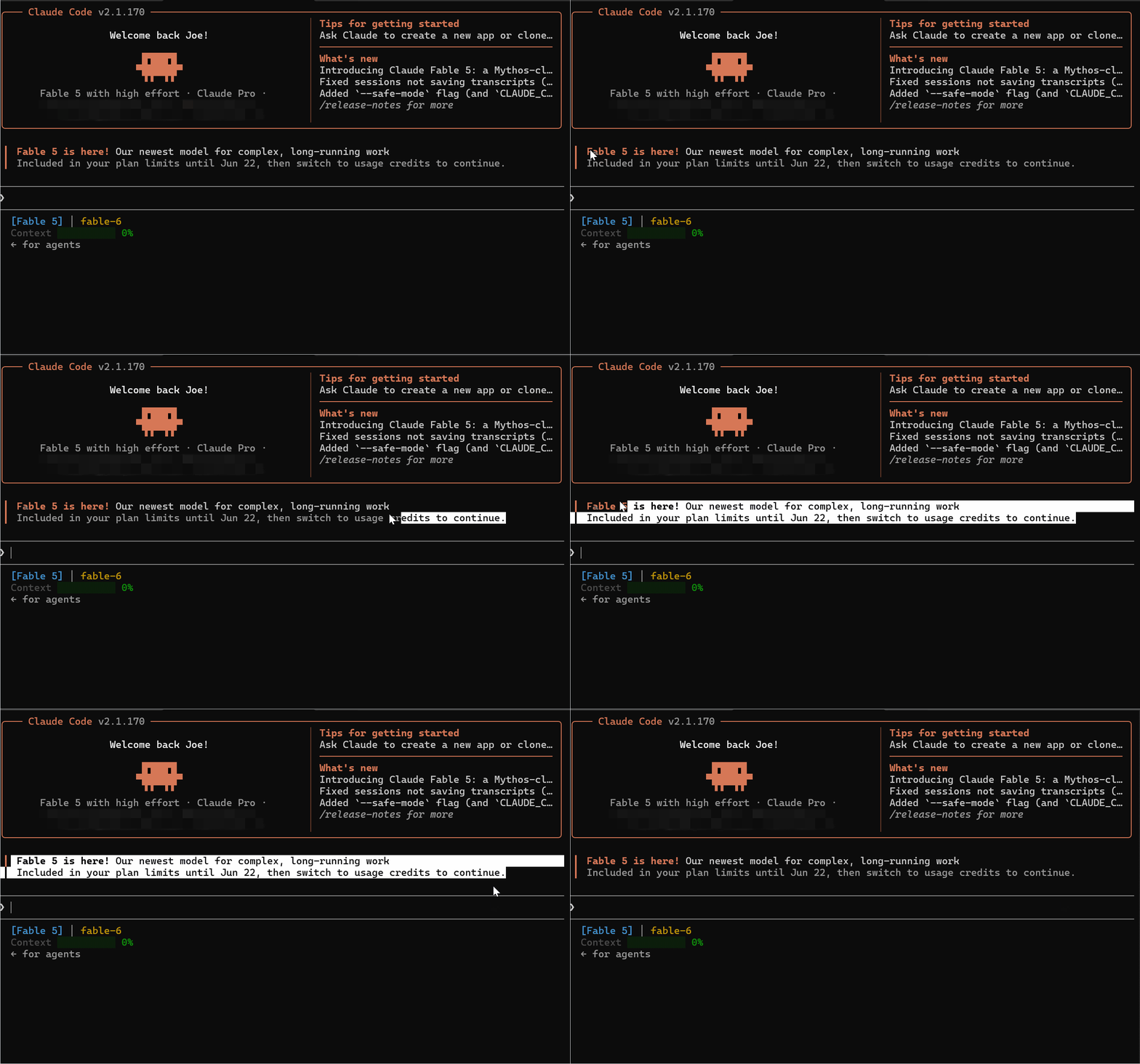
Step 1: Open Your Project in Claude Code
Navigate to your project folder and start a Claude Code session.
cd your-project-folder
claude
Once the session loads, you are ready to switch models.
Step 2: Run the /model Command
Inside your active Claude Code session, type:
/model
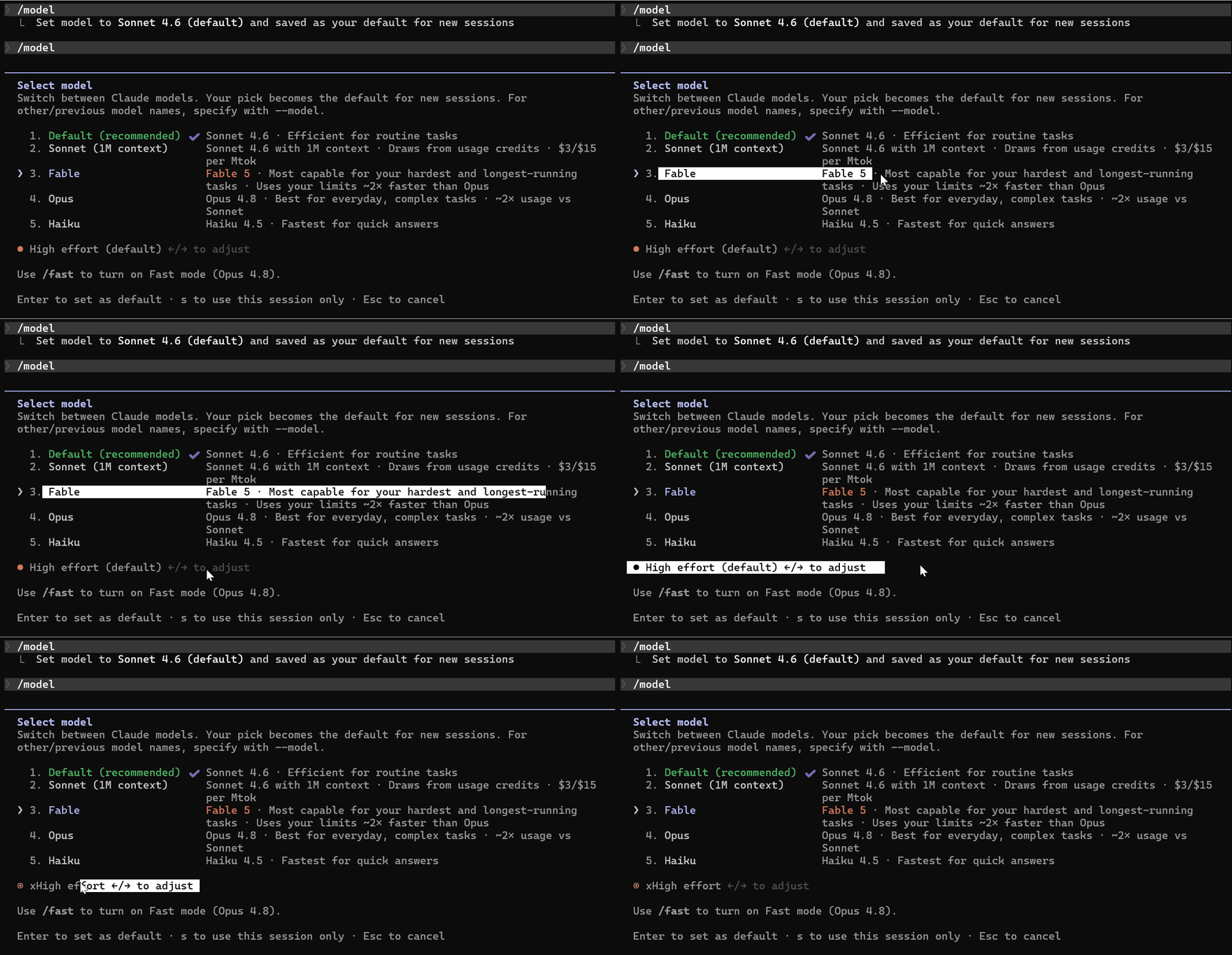
The model selection list will appear in your terminal.
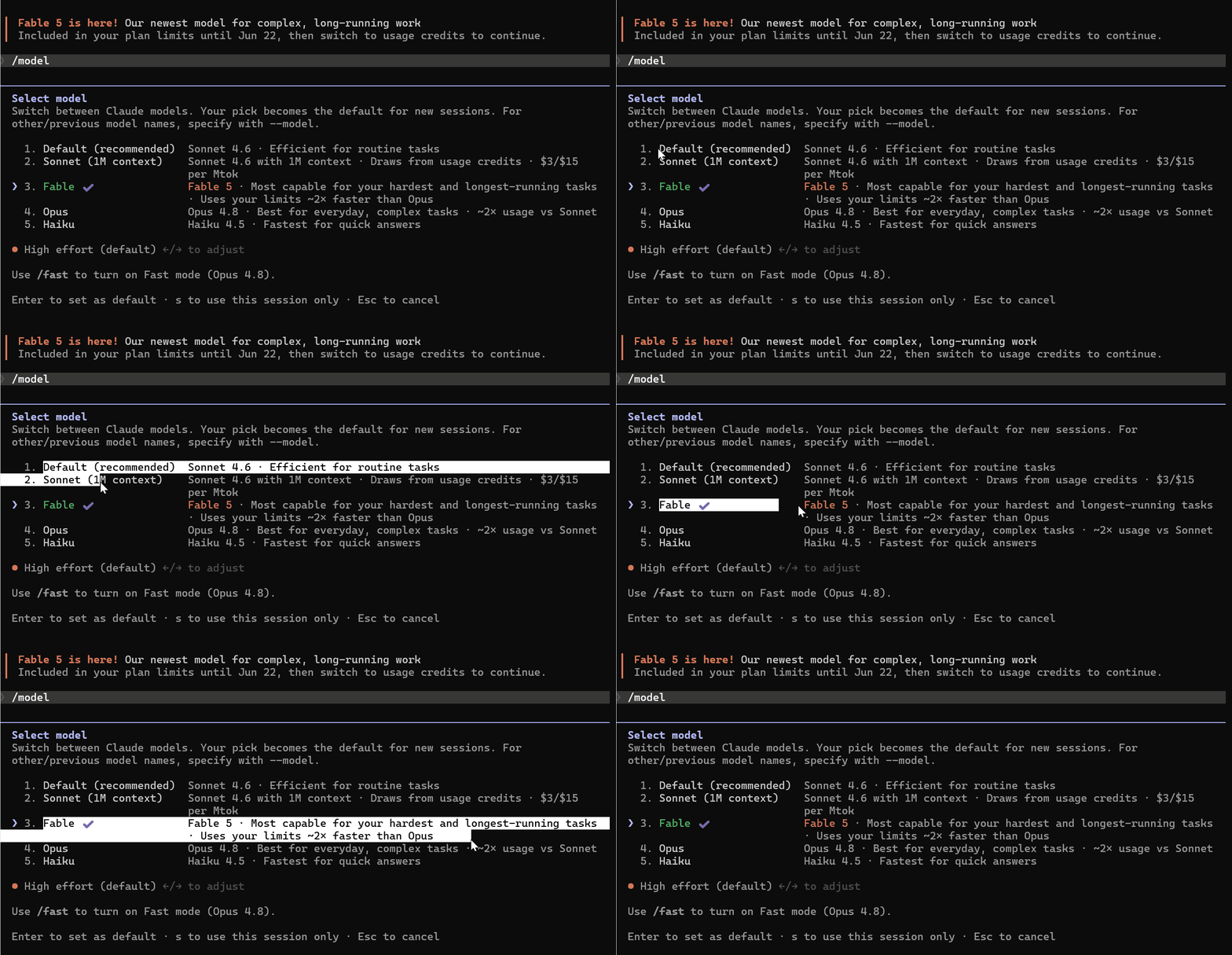
You will see the available models listed. Fable is below Sonnet and above Opus in the list. The description reads:
“Most capable for your hardest and longest-running tasks. Uses your limits roughly 2x faster than Opus.”
Step 3: Select Fable 5
Use your arrow keys to highlight Fable 5 and press Enter to confirm.
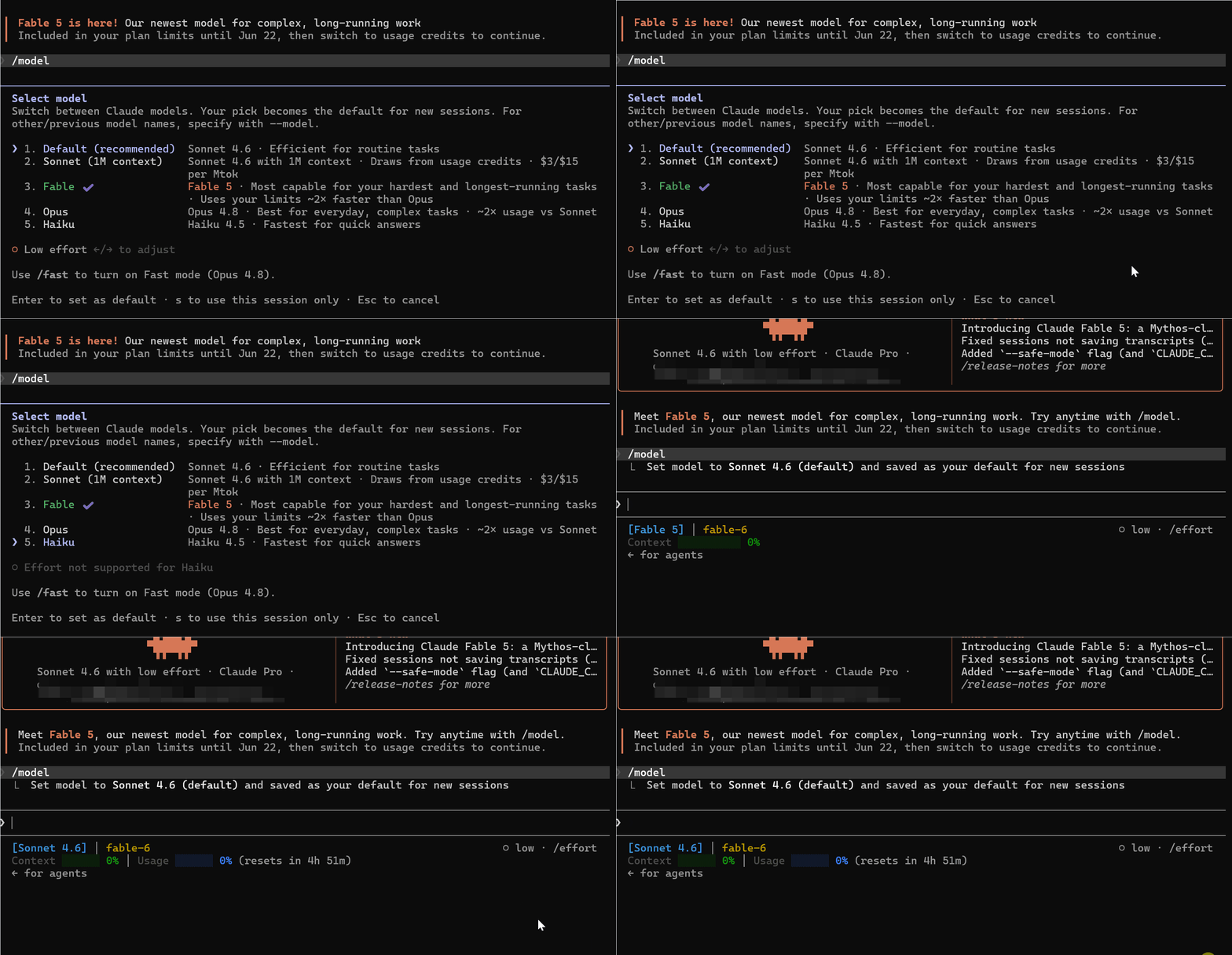
Claude Code confirms the switch immediately.
Fable 5 is now your active model for this session and becomes the default for all new sessions going forward.
Fable 5 is not Opus 4.8 with a speed boost. It is a fundamentally different model that thinks longer, plans more deeply, and, by design, uses more tokens per task than any model before it.
2x Faster Limit Warning Actually Means
When Claude Code tells you Fable 5 “uses your limits roughly 2x faster than Opus,” it is not describing processing speed. It describes token consumption.
For every task you run on Fable 5, expect to consume approximately twice the tokens compared to the same task on Opus 4.8. On complex, long-running tasks, that multiplier can go higher depending on how you prompt it.
Here is a practical way to think about it:
- A task that costs 500k tokens on Opus 4.8 will cost roughly 1 million tokens on Fable 5
- A long autonomous run that takes Opus 4.8 an hour could consume a full session limit on Fable 5 if left unconstrained
- Running multiple builds back to back, the way I did when I first switched, will drain your included plan limits within hours
Fable 5 is doing more work, reasoning more deeply, and self-verifying its output in ways prior models did not. The token cost reflects that increased intelligence.
Switching Back When Needed
You can switch back to Opus 4.8 or Sonnet at any time using the same /model command.
/model
Select your preferred model from the list and confirm.
A practical workflow, once you are past the free window, is to use Fable 5 only for your most complex tasks: large codebase reviews, multi-file implementations, and long autonomous runs where the output quality justifies the cost.
For routine tasks, routine debugging, and quick questions, Sonnet or Opus 4.8 will serve you fine at a fraction of the token cost.
Effort Level System (Your Real Cost Control)
Anthropic built an effort control system directly into Fable 5. It is the primary dial for balancing intelligence, latency, and cost on every task you run.
Four Effort Levels
Fable 5 supports four effort settings:
low— Fast, lightweight responses for routine workmedium— Balanced output for standard taskshigh— The recommended default for most tasksxhigh— Maximum capability for your most complex, demanding work
The key thing to understand is that even low effort on Fable 5 will often outperform xhigh on Opus 4.8.
You are not sacrificing quality by stepping down from xhigh. You are just choosing the right tool for the right job.
Prompting Fable 5 for Long Runs
Fable 5 can sustain productive output across hours of autonomous work, complete multi-file implementations in a single pass, and manage parallel subagents without losing track of the original goal.
Anthropic’s prompting guide covers several patterns specifically designed for keeping Fable 5 on track during extended sessions.
1) Give the Reason, Not Just the Request
With Fable 5, giving context about why you are asking produces better output. The model connects your request to relevant information instead of inferring your intent on its own.
The example from Anthropic’s guide looks like this:
I am working on [the larger task] for [who it is for]. They need
[what the output enables]. With that in mind: [your request].
An example from my test session:
I am building an authentication service for a SaaS product. The
engineering team needs a refresh token system that handles concurrent
requests without race conditions. With that in mind: implement the
refresh token logic in auth.py with proper locking.
2) Ground Progress on Long Runs
On extended autonomous tasks, Fable 5 can occasionally report progress that sounds complete but is not fully verified.
Anthropic found this behavior during internal testing and built a specific fix for it. Add this instruction at the start of any long autonomous run:
Before reporting progress, audit each claim against a tool result from
this session. Only report work you can point to evidence for. If
something is not yet verified, say so explicitly. If tests fail, say
so with the output. If a step was skipped, say that. When something
is done and verified, state it plainly without hedging.
This single instruction eliminated fabricated status reports in Anthropic’s own testing.
3) Define What Fable 5 Should and Should Not Do
At higher effort on longer runs, Fable 5 can take actions you never asked for.
Drafting an email when you only asked for an analysis. Creating git branch backups before making changes.
This behavior comes from Fable 5 trying to be helpful beyond the immediate request. On an agentic run touching production systems, that initiative can cause real problems.
Set explicit boundaries before any long run:
When the user is describing a problem, asking a question, or thinking
out loud rather than requesting a change, the deliverable is your
assessment. Report your findings and stop. Do not apply a fix until
asked. Before running a command that changes system state, check that
the evidence actually supports that specific action.
4) Handling Early Stopping
Deep into a long session, Fable 5 can occasionally end a turn by stating what it intends to do next without doing it.
You will see something like “I will now run the test suite” followed by the turn ending with no test output.
It is a checkpoint behavior that surfaces when the task hits ambiguity or when Fable 5 is unsure whether to proceed.
The fix is simple. Type:
Go ahead and do it end to end.
Or add this instruction upfront for fully autonomous pipelines:
You are operating autonomously. The user is not watching in real time
and cannot answer questions mid-task. For reversible actions that
follow from the original request, proceed without asking. Before
ending your turn, check your last paragraph. If it is a plan, a list
of next steps, or a promise about work you have not done, do that
work now. End your turn only when the task is complete or you are
blocked on input only the user can provide.
5) Building a Memory System for Repeated Sessions
Fable 5 performs significantly better when it can record lessons from previous runs and reference them. Claude Code has no memory between sessions by default, but you can give Fable 5 a place to write and read notes using a simple Markdown file in your project.
Set it up with this instruction:
Store one lesson per file with a one-line summary at the top. Record
corrections and confirmed approaches alike, including why they mattered.
Do not save what the repo or chat history already records. Update an
existing note rather than creating a duplicate. Delete notes that turn
out to be wrong.
In my project, this looks like a claude-notes.md file in project root that Fable 5 reads at the start of each session and updates as it learns things about my codebase.
Over multiple sessions on the same project, this compounds. Fable 5 stops re-learning the same context from scratch and starts building on accumulated knowledge.

Joe is a software engineer with 14+ years of experience in product development and web applications. He specializes in AI integration and automation, building AI agents and intelligent systems using LLMs, vector databases, RAG pipelines, MCP servers, and n8n orchestration. Joe helps businesses implement practical AI solutions that deliver measurable results.
Available for AI integration consulting and custom MCP development.
Get in touch for your next project.
More articles written by Joe